
Installing Impossible Things with the DVLOP Installer

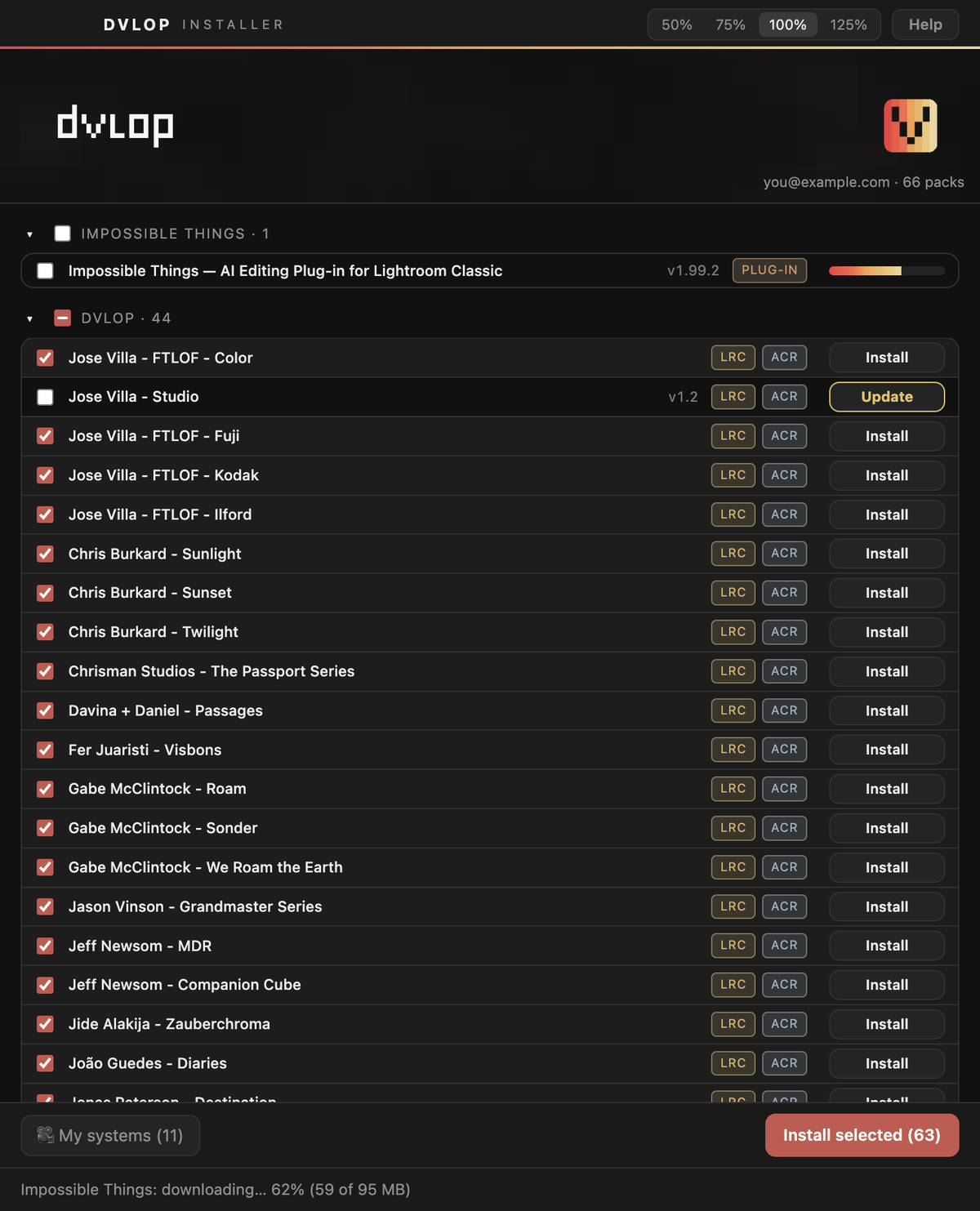
The Impossible Things plug-in for Lightroom Classic is installed by the DVLOP Installer. It is free to everyone with a DVLOP account and sits in the top row of the library.
HOW TO INSTALL
|
• STEP 1 – Open the DVLOP Installer and sign in. (New to the installer? See The DVLOP Installer.) • STEP 2 – Click Install on the Impossible Things row at the top of the library. The plug-in is about 95 MB, so you will see a progress bar while it downloads. Wait until the row reads Installed ✓.
• STEP 3 – Restart Lightroom Classic. The plug-in is ready to use. The current plug-in version is 1.99. The installer puts it in Lightroom Classic's Modules folder and replaces any copy already there, so you never need to remove an old version first. |
GOOD TO KNOW
|
The row says "Update" but I already have the plug-in. The row reads Update whenever the installed copy is older than the current version (for example 1.98 or 1.92), and occasionally when we publish a newer build of the same version. Clicking it is harmless and takes a few seconds. Lightroom Classic also offers the same update by itself when it starts – either route gives you the same version. Restart Lightroom Classic afterwards. The old "Impossible Things Help" plug-in. Earlier versions came with a separate Help plug-in. It is no longer needed and the installer removes it automatically, so if it has gone from Lightroom's Plug-in Manager, that is expected. Where it goes: Mac Help using the plug-in. This article only covers installing. For everything about using Impossible Things – features, settings, sending diagnostics from inside the plug-in – please visit support.things.co. |