
How to Uninstall DVLOP Presets from Lightroom Classic

These instructions are for uninstalling DVLOP presets from Adobe Lightroom Classic.
The DVLOP Installer does not remove packs – deleting is done by hand, as below. After you delete a pack, its row in the installer still reads Installed ✓; that is expected. If you ever want the pack back, click the row and it installs again.
In the Lightroom Presets panel, right-click on a DVLOP preset from the pack you would like to remove. Select "Show in Finder / Explorer."
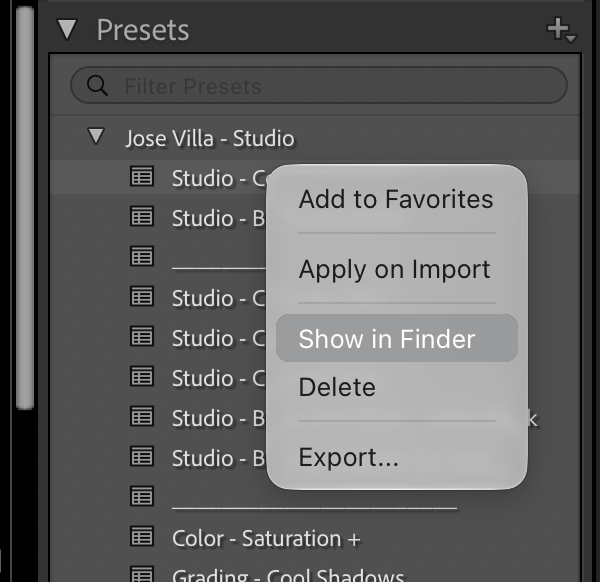
SINGLE PACK DELETION
|
MULTIPLE PACK DELETION
The Settings folder is here: Mac |
BRUSHES AND CAMERA PROFILES
|
Some packs also install brushes and camera profiles. They live in two folders next to Settings:
Restart Lightroom Classic and Photoshop afterwards. Camera Raw reads the same folders, so the presets disappear from both. |